 Daftar
Notes, tasks and projects, with Arabic done right.
Daftar brings pages, to-do lists, tables, boards and a Hijri calendar together, with an editor that truly understands right-to-left writing and search that ignores hamza and diacritics.
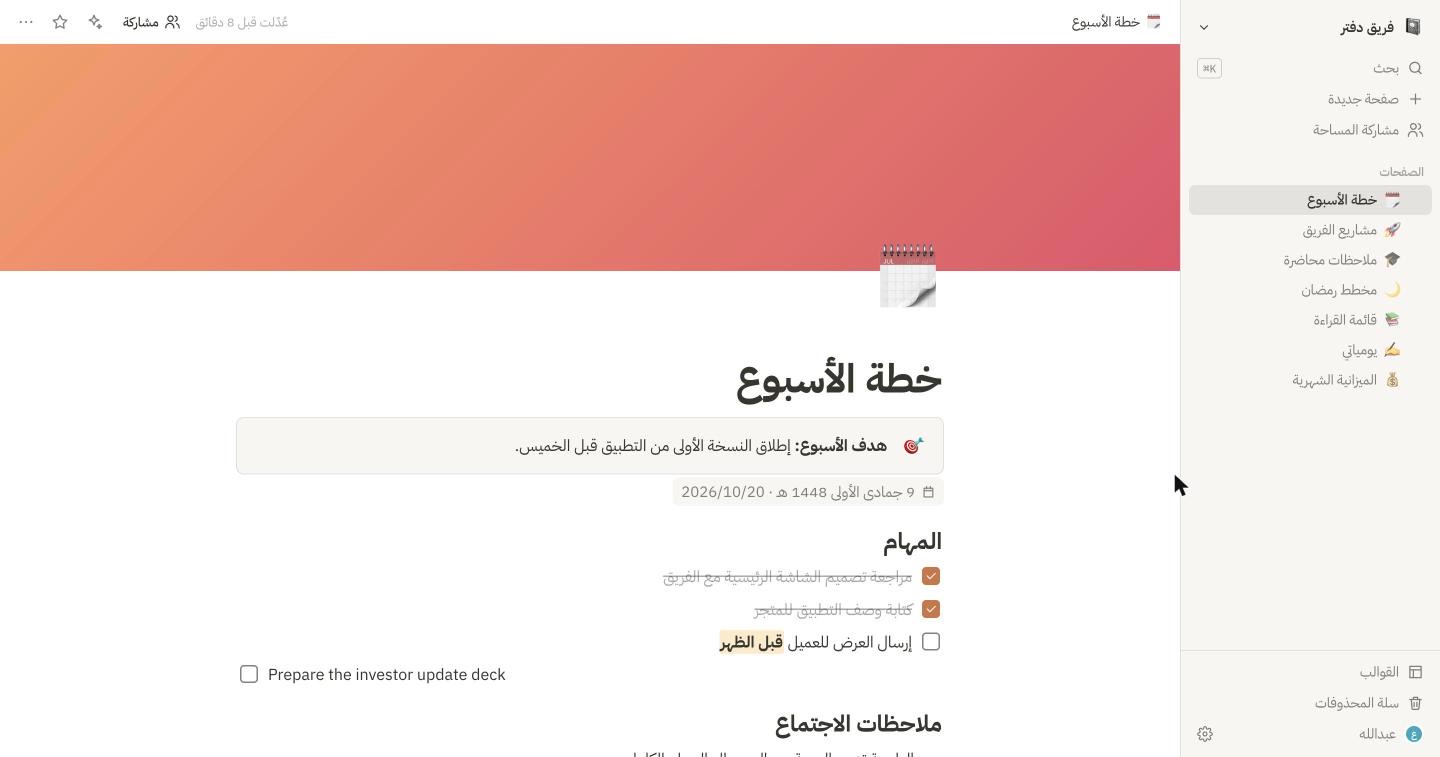
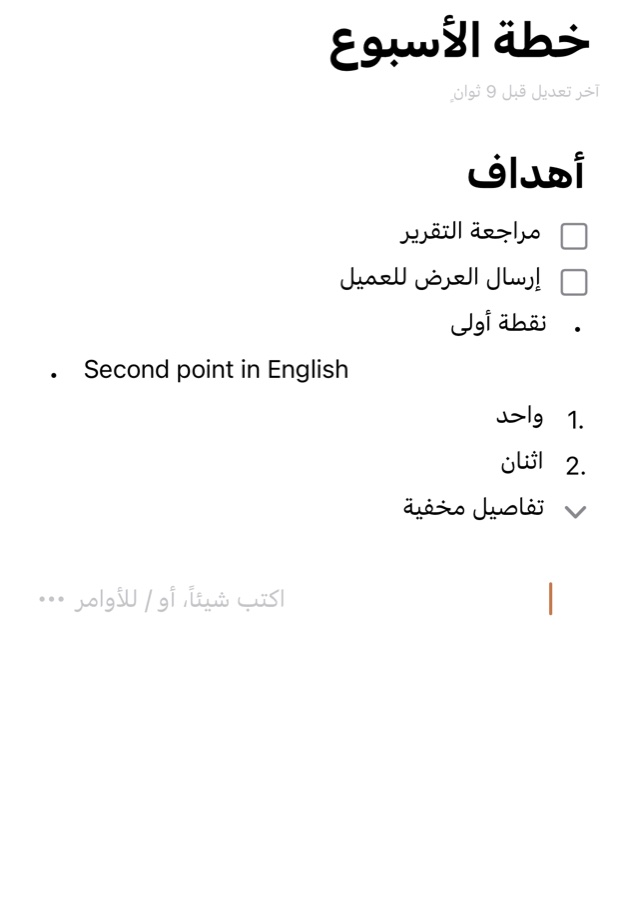
Every line takes its direction from its first letter, so Arabic and English mix without a mess.
Ignores hamza, diacritics, taa marbuta and Arabic-Indic digits.
Umm al-Qura dates on pages and in calendar views, side by side with Gregorian.
A fully Arabic interface (or English), with templates for Ramadan, Quran, study and work.
One place for everything you write and plan
From a quick note to a whole team project, without juggling five apps.
Write fast, organize in a tap
Every line is a block: a heading, task, list, quote or image. Type / to pick one, or use shortcuts as you type.
- Type # for a heading, - for a list, [] for a task
- Pages inside pages; drag any block to reorder it
- Bold, italic, color highlights, links and code
- Icons and covers for every page; export to Markdown and PDF
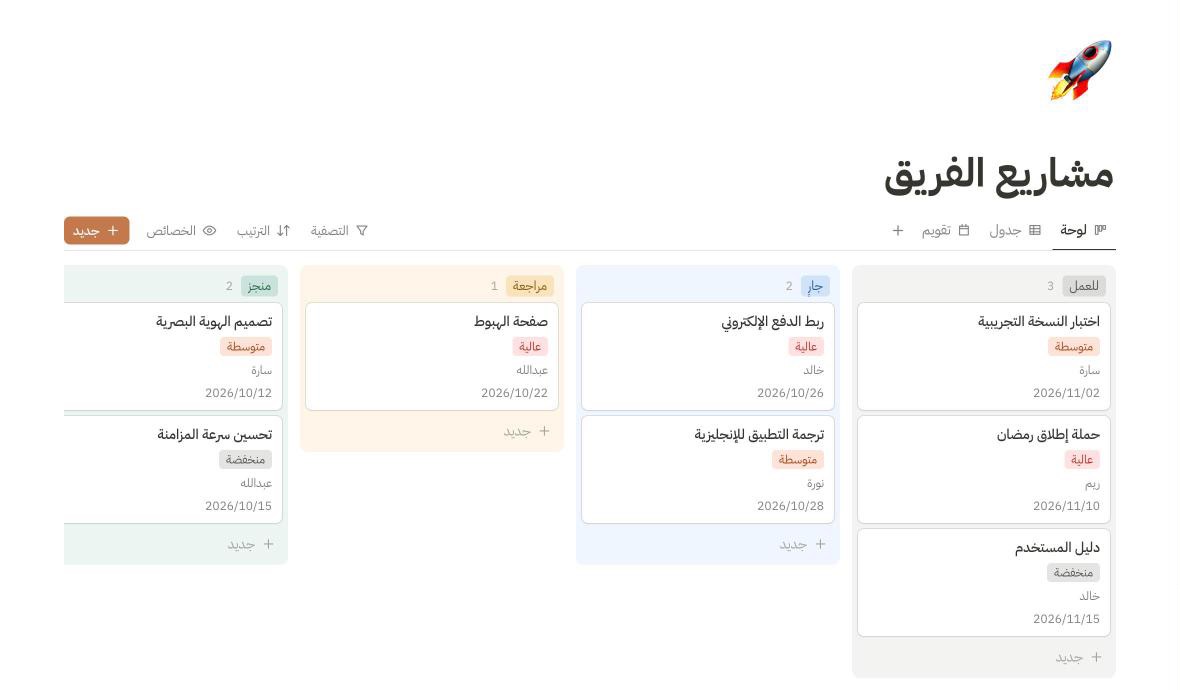
Table, board and calendar for the same data
Turn any list into a database with the properties you choose: status, priority, date, owner, number, link. Then view it the way that suits you.
- A task board with cards you drag between columns
- An editable table with filters and sorting
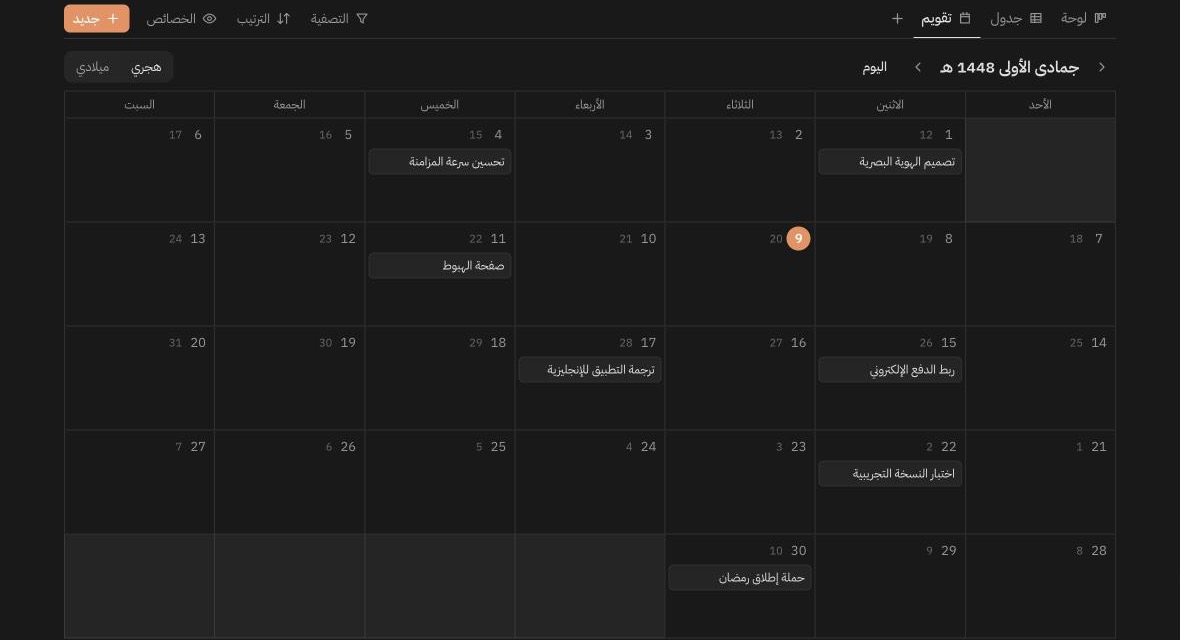
- A monthly calendar, Hijri or Gregorian
- Open any row as a full page and write in it
Your dates, in the calendar you live by
Switch between Hijri and Gregorian in one tap. The Hijri month in the title, the Gregorian day next to each date, and dates on your pages shown in both.
- Umm al-Qura, the official calendar in Saudi Arabia
- Weeks start on Sunday
- Templates for Ramadan, completing the Quran and habit tracking
Search the way you type, and find it
Nobody types hamza and diacritics into a search box. Daftar matches the word however it was spelled, across titles, content and databases.
- ⌘K to search from anywhere
- Matches highlighted in the results

القران→القرآنhamza and maddaاسره→أُسرةdiacritics and taa marbutaمستشفي→مستشفىalef maqsura123→١٢٣Arabic-Indic digitsA writing assistant fluent in Arabic
Select some text or a whole page and ask. The result lands in your page as ready-made headings, lists and tasks.
- Summarize, continue, fix spelling and grammar
- Turn colloquial dialect into Modern Standard Arabic
- Translate between Arabic and English
- Voice notes turned into a tidy note
Work with your team and family
Share a workspace with a link and watch edits appear as they’re typed.
Live collaboration
Other people’s edits show up within seconds, and you see who has the page open.
Sharing with roles
Invite with one link and choose: can edit, or view only.
Web, iPhone and iPad
The same account and pages on all your devices, synced automatically.
Works offline
The iPhone app works fully without internet and syncs when you’re back online.
Made for iPhone
Widgets for tasks and recent pages, save from any app, and Siri Shortcuts.
Your data is yours
Export pages to Markdown and PDF anytime, and delete your account and data whenever you like.
Start from a template, not a blank page
Templates made for real life here: from Ramadan and the Quran to studying, budgets and project management.
Completely free. No subscription, no ads.
We built Daftar because we wanted an Arabic tool we love using every day, and we want that for you too.
- Unlimited pages and databases
- Sync across web, iPhone and iPad
- Sharing and live collaboration with anyone
- Every template, and the Hijri calendar
- Markdown and PDF export
- The AI writing assistant (with a monthly fair-use allowance)
No card, no trial that runs out, no features locked behind a subscription.
Questions?
Is Daftar really free?
Yes, completely. No subscription, no ads, nothing locked. The only thing with a limit is AI: everyone gets a generous monthly fair-use allowance, because each request costs us money.
Is it the same account on the web and iPhone?
Yes. Sign up with email and password on the web and log in with it in the app, or join with Apple in the app and add an email and password in Settings to use the web.
Does it work offline?
The iPhone and iPad app works fully offline and syncs your edits when you reconnect. The web needs a connection, and keeps your recent edits if it drops briefly.
How do I share with others?
From “Share”, create an invite link for the workspace and choose whether people can edit or only view. You’ll see each other’s edits live.
Does it support Hijri dates?
Yes, using Umm al-Qura. Insert a Hijri date on any page, and view databases in a Hijri or Gregorian calendar.
Can I take my data out, or delete it?
Export any page to Markdown or PDF anytime, and delete your account and all its data from Settings. Details in the privacy policy.
Your new notebook is waiting
Create your account in under a minute, then start from a blank page or a template.